Campsite Management Software
One System for Tents, Glamping and more.
Works Alongside the Booking Channels You Already Use




Taking the Booking Is the Easy Part
Plenty of software will put a booking form on a website. Far less of it helps at seven on a Friday evening when there are eleven arrivals, two of them have not paid, one wants to move pitch and the warden is on the gate with a paper list. Management software is the part that runs the site after the booking lands.
One Live Picture of the Site
Who is on, who is arriving, who is leaving and what is free, updated the moment anything changes.
Payments You Can See
Paid, part-paid, deposit taken and balance outstanding, on the booking itself rather than in a separate bank statement.
Staff Work From Their Phones
The warden checks arrivals in at the gate, the office sees it instantly, and nobody is transcribing a paper list at the end of the night.
Pricing Changed in Seconds
Adjust a season rate, a minimum stay or an extra once, and every future booking picks it up without touching a spreadsheet.
Reports That Tell You Something
Occupancy, revenue, extras sold and how the season compares to last year, without exporting anything into Excel first.
Your Guest Records, Kept
Every guest, every stay, every note, held in your own system so you can fill quiet dates from your own list next season.
What Running the Site Looks Like Day to Day
What Changes For the Team




The office stops being the only place the information lives. Whoever is on the gate has the same picture as whoever is in the office, guests have already paid before they arrive, and the end-of-season accounts stop being a fortnight of cross-referencing.
What the Management Side Includes
All of it is in every plan. Nothing here is an add-on and nothing is charged per booking.
The whole site on one screen: live occupancy, the diary, bookings, payments, pricing, extras and reports, from anywhere.
Today's arrivals on a phone or tablet at the gate, with one-tap check-in that the office sees immediately. The park owner sets what the warden screen shows, anywhere from housekeeping only up to full management, including balances.
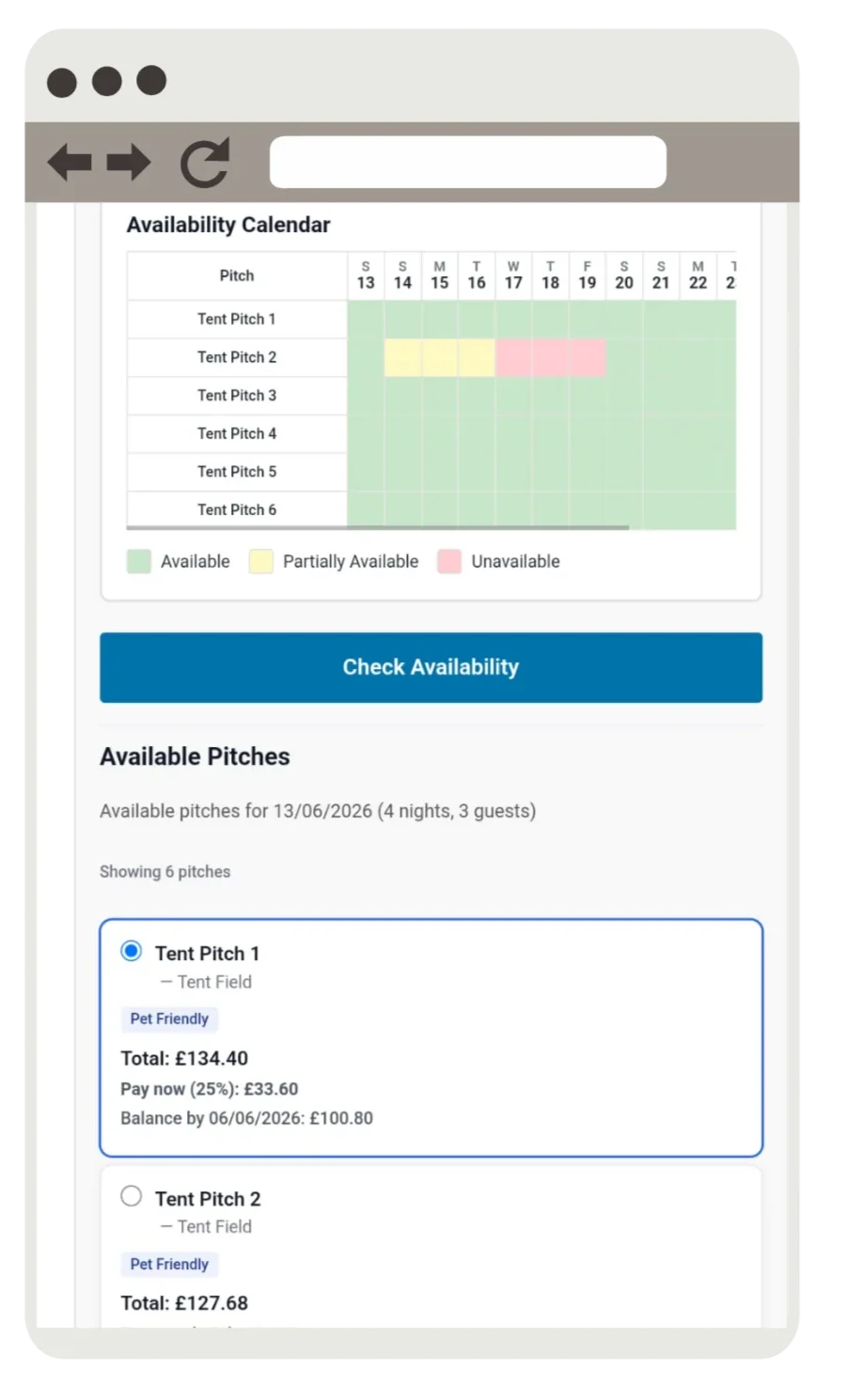
See what is paid, part-paid or outstanding on every booking, with balances collected automatically before arrival.
Change a rate, a minimum stay or a changeover day once and every future booking follows it, with no spreadsheet to update.
Every guest, stay, payment and note kept in your own system, so repeat visitors are recognised and quiet weeks can be filled from your own list.
How full you are, what you have taken, which extras sell and how the season compares — ready when you look, not after an export.
Management Software You Own vs a Booking Form Bolted On
Software That Runs the Site
-
One live picture shared by the office and the gate
-
Payments, balances and extras visible on the booking
-
Staff work from a phone anywhere on the site
-
Occupancy and revenue reporting built in
-
A flat monthly fee with no commission
A Booking Form On Its Own
-
Takes the booking, then leaves the rest to you
-
Payments reconciled by hand against a bank statement
-
A printed arrivals list carried to the gate
-
Numbers only after exporting into a spreadsheet
-
Often commission or a fee on every booking
Campsite Management Software — Common Questions
Booking software takes the booking. Management software runs the site around it: live occupancy, arrivals and departures, payments and balances, pricing rules, staff working from the gate, and the reports that tell you how the season is going. This does both, so nothing falls back onto a spreadsheet.
Yes. The warden screen opens in a browser on any phone or tablet and shows today's arrivals with pitch numbers and extras. The park owner sets what the warden screen shows, anywhere from housekeeping only up to full management, including balances. Checking a guest in at the barrier updates the office instantly, so there is no paper list to type up later.
Yes. Every booking shows paid, part-paid or balance outstanding on the booking itself, and outstanding balances are collected automatically before arrival, so you are not reconciling a diary against a bank statement to find out.
Occupancy, revenue, extras sold and how the season compares with last year, ready when you open it. You do not have to export anything into a spreadsheet before the numbers mean something.
Yes. Change a season rate, a minimum stay, a changeover day or the price of an extra once, and every future booking picks it up straight away. Bookings already taken keep the price they were sold at.
Yes, and that is the point. Every guest, stay, payment and note lives in your own system, so returning visitors are recognised and you can fill quiet weeks from your own list instead of paying a marketplace to find the same people again.
Yes, if the site runs on WordPress it fits straight in and keeps your current design. If your website is elsewhere or due a refresh, we can build a new one around the system.
From £25 a month, no setup fee. The owner panel, warden screen, guest portal, reporting and payments are all included, with no commission and no per-booking fee.
Booking software takes the booking and the payment. Management software runs the site afterwards: arrivals, payments outstanding, pitch moves, pricing changes and reports. Ours does both from the same live diary.
Yes. The warden checks arrivals in at the gate on a phone or tablet, and the office sees it the moment it happens.
Yes: occupancy, takings, extras sold and how the season compares, without exporting anything to Excel first.
Yes. Change a season rate, a minimum stay or an extra once, and every future booking picks it up.
Us. We are a small family business: when you call, you get the people who build the software, not a call centre.
Related: Campsite Booking System · Campsite Booking System Owner Control App · Campsite Booking System Warden Feature · Run Your Campsite From Anywhere — Web or Mobile · Running Your Campsite From One Screen · Stress-Free Arrivals Day: How the Warden View Works · Turnaround Time: Protecting the Gap Between Departure and Arrival
Look Round the Management Side Yourself
Make a booking on the demo site, then open the owner panel and the warden screen and watch it appear in both. Then have a short call with us and we will map it onto how your own site actually runs.